
Sharing links is one of the most common activities on the internet, yet many people overlook how much a simple URL can affect communication. Whether you are sending a product page to a customer, sharing an article on social media, promoting a business, or distributing educational resources, the appearance and usability of your links matter. A long web address filled with complicated characters, tracking parameters, and unnecessary information can look confusing, especially when it appears inside a message, presentation, or printed document. This is where a free URL shortener becomes useful. Instead of copying and sharing an unnecessarily long address, you can transform it into a compact link that is easier to read, copy, and distribute. The process generally takes only a few seconds and does not require advanced technical knowledge. For beginners, a URL shortening tool offers a practical way to simplify everyday online communication without changing the original destination of the website.
A URL, or Uniform Resource Locator, is the address used to access a particular resource on the internet. Every website page, online document, product listing, and digital resource has an address that helps browsers locate its content. Some addresses are naturally short, while others become lengthy because of website structures, category names, search filters, campaign parameters, or automatically generated identifiers. Imagine sharing a product URL containing several folders, product variations, and tracking values. Although the address may work perfectly, its length can make a message appear cluttered. A URL shortener solves this presentation problem by creating a shorter address that redirects visitors to the original destination. When someone opens the shortened link, the shortening service processes the request and sends the visitor to the intended webpage. The original content remains hosted on its existing website, and the shortened link simply provides another route to reach it. Understanding this distinction helps beginners use shortening services correctly.
Modern digital communication happens across many different platforms, including email, messaging applications, social networks, online marketplaces, business websites, and printed promotional materials. Each platform presents links differently, making flexibility important. For example, a long URL may be acceptable in a technical document but inconvenient inside a promotional message. A short link can reduce visual clutter and make the surrounding message easier to understand. Businesses may use short links when distributing product information, sharing customer support resources, or promoting online campaigns. Teachers may use them to share educational materials, while individuals may shorten links to articles, forms, or public resources. However, shortening a URL does not automatically make a destination trustworthy, improve search rankings, or guarantee higher engagement. The value comes from using shorter addresses appropriately, maintaining accurate destinations, and communicating clearly with the people receiving them. A useful short link should support a legitimate purpose rather than conceal important information.
One reason free URL shortening services are popular is their accessibility. Many people want a simple tool that allows them to paste an existing URL, generate a shorter version, and copy the result without dealing with complicated software. A beginner-friendly workflow removes unnecessary steps and makes link creation manageable even for someone with limited experience using online tools. Before choosing a service, however, it is important to understand which features are actually available. Some services provide basic shortening without payment, while advanced options such as branded domains, detailed analytics, link editing, or additional management controls may have restrictions. Users should review the service's current features and conditions rather than assume every capability is included. The most important requirement is that the service generates working links and provides a straightforward experience. Reliable destination handling, transparent usage conditions, and appropriate security practices are also worth considering when deciding which URL shortening platform to use.
For anyone looking for a convenient starting point, URLty is a website to explore for URL shortening. The general process is straightforward: prepare the original webpage address, enter it into the shortening tool, generate the shorter link using the available controls, and verify that it opens the correct destination. This article explains the process in practical language so that beginners can understand not only how short links work but also when they should be used. You will learn why shorter URLs can support clearer communication, how to prepare and shorten a link, how to check the result, and how to avoid common mistakes. You will also discover a practical checklist, answers to frequently asked questions, and useful recommendations for sharing links responsibly. By the end, you should be able to approach URL shortening confidently and understand how a simple tool can make everyday link sharing more organized and convenient.
Why a Free URL Shortener Matters for Individuals and Businesses
A free URL shortener can make online communication more convenient because links often appear alongside information that people need to understand quickly. In business communication, a website address is rarely the main message. Customers may be looking for a product description, payment instructions, support documentation, appointment information, or a registration form. When a lengthy URL takes up several lines, it can distract attention from the actual purpose of the communication. A shorter address creates a more compact presentation, allowing the surrounding text to remain clear and readable. This can be particularly useful in promotional materials, customer messages, printed advertisements, and presentations where available space is limited. However, appearance should never be confused with guaranteed results. A short link does not automatically persuade people to click, and some users may prefer to see the full destination before opening an unfamiliar address. The best approach is to combine a concise link with a meaningful explanation of where it leads.
For small businesses, URL shortening can support everyday marketing and customer service activities without requiring a complicated technical setup. Consider a business that shares product information through social media and messaging applications. Product URLs may contain long category paths, variation identifiers, or campaign parameters. Sharing these addresses repeatedly can make messages difficult to format, particularly when employees need to send several links during customer conversations. Shortening appropriate URLs can simplify the sharing process and make messages more consistent. A business could prepare a set of links for frequently requested pages, such as product catalogs, delivery information, contact forms, and support articles. Staff members can then copy the relevant link whenever customers request assistance. This reduces the need to search for lengthy addresses repeatedly. Nevertheless, businesses should maintain an internal record of each shortened link and its destination so that employees know exactly what they are sharing. Good organization is just as important as link length.
Short links can also be helpful in educational and professional environments. Teachers regularly distribute learning materials, assignment instructions, public reference pages, and online forms. Students may need to copy addresses from classroom presentations or printed worksheets, where long strings of characters are inconvenient. A shorter URL can make those resources easier to communicate, especially when the original address contains numerous folders or generated parameters. Professionals can use similar techniques when sharing public documents, event information, surveys, or resources during presentations. Instead of placing a complicated address on a slide, they can provide a compact link alongside a descriptive title. This makes the information easier to present visually. However, shortening does not change access permissions. A private document will still require appropriate authorization, and a restricted resource will not become publicly available merely because its address is shortened. Users must confirm that intended recipients can access the original destination before distributing the link.
Another practical benefit is consistency across communication channels. A business may promote the same landing page through email, social media, digital advertisements, and printed materials. Using a manageable link can simplify campaign documentation and help teams recognize which destination is being promoted. Some shortening platforms may offer analytics or link management capabilities, but these features should be verified before they become part of a marketing strategy. Basic URL shortening and visitor tracking are different functions, and not every free service provides detailed statistics. Even where tracking is available, reported clicks may include automated requests or other activity that does not represent genuine customer interest. Marketers should avoid treating click counts as direct evidence of sales, conversions, or customer satisfaction. Shortened URLs are most useful when they support a broader communication strategy that includes relevant content, accurate information, appropriate measurement, and a clear reason for visitors to open the destination.
Trust and transparency remain essential considerations. Because a shortened address may hide the destination domain, recipients sometimes hesitate to open unfamiliar links. This concern is reasonable, especially when a link arrives unexpectedly or appears without context. Responsible businesses should identify themselves clearly, explain what the link contains, and avoid misleading wording. For example, a message saying that a link opens a product information page is more helpful than an unexplained shortened address. Organizations should also avoid using shorteners to disguise redirects, misrepresent offers, or bypass platform rules. The original destination should remain relevant to the message and comply with applicable laws and service policies. When these principles are followed, URL shortening can become a practical supporting tool rather than a source of confusion. Its greatest benefit is not that it transforms a marketing campaign, but that it makes ordinary link sharing simpler, cleaner, and more manageable for both senders and recipients.
Step-by-Step Guide: How to Create Short Links in Seconds
Creating a short link is usually a straightforward process, even if you have never used a URL shortening service before. The first step is to identify the exact webpage you want people to visit. Open the destination in your browser and confirm that it displays the correct information. This might be a blog article, product page, registration form, public document, event announcement, or business landing page. Once you have confirmed the destination, copy its complete address from the browser's address bar. Make sure you copy the full URL rather than only the website's domain name, because different pages on the same website can serve very different purposes. For example, sharing a business homepage instead of a specific product page may force customers to search for the information themselves. Also check whether the address includes necessary query parameters. Some parameters identify product variations, search results, language preferences, or campaign information, and removing them without understanding their purpose could change the destination. Preparing the original address correctly is an important foundation for reliable link shortening.
The second step is to open the URL shortening website. Visit the URLty homepage and locate the available URL shortening input. The interface may contain a field where you can paste the original link and a control for generating its shortened version. Paste the complete address into the appropriate field and review it before continuing. If the website offers additional options, such as a custom alias, link expiration, or management settings, examine whether those options are necessary for your purpose and available under the current plan. For basic sharing, the standard shortening process is often sufficient. Beginners do not need to configure advanced settings simply to create a shorter address. Avoid adding information that is unrelated to your intended destination, and never paste passwords, private access tokens, or confidential information into a public shortening service. A shortened URL can still expose information contained in the destination address or make an otherwise obscure resource easier to share. If the original URL contains sensitive data, create a safer destination link before shortening it.
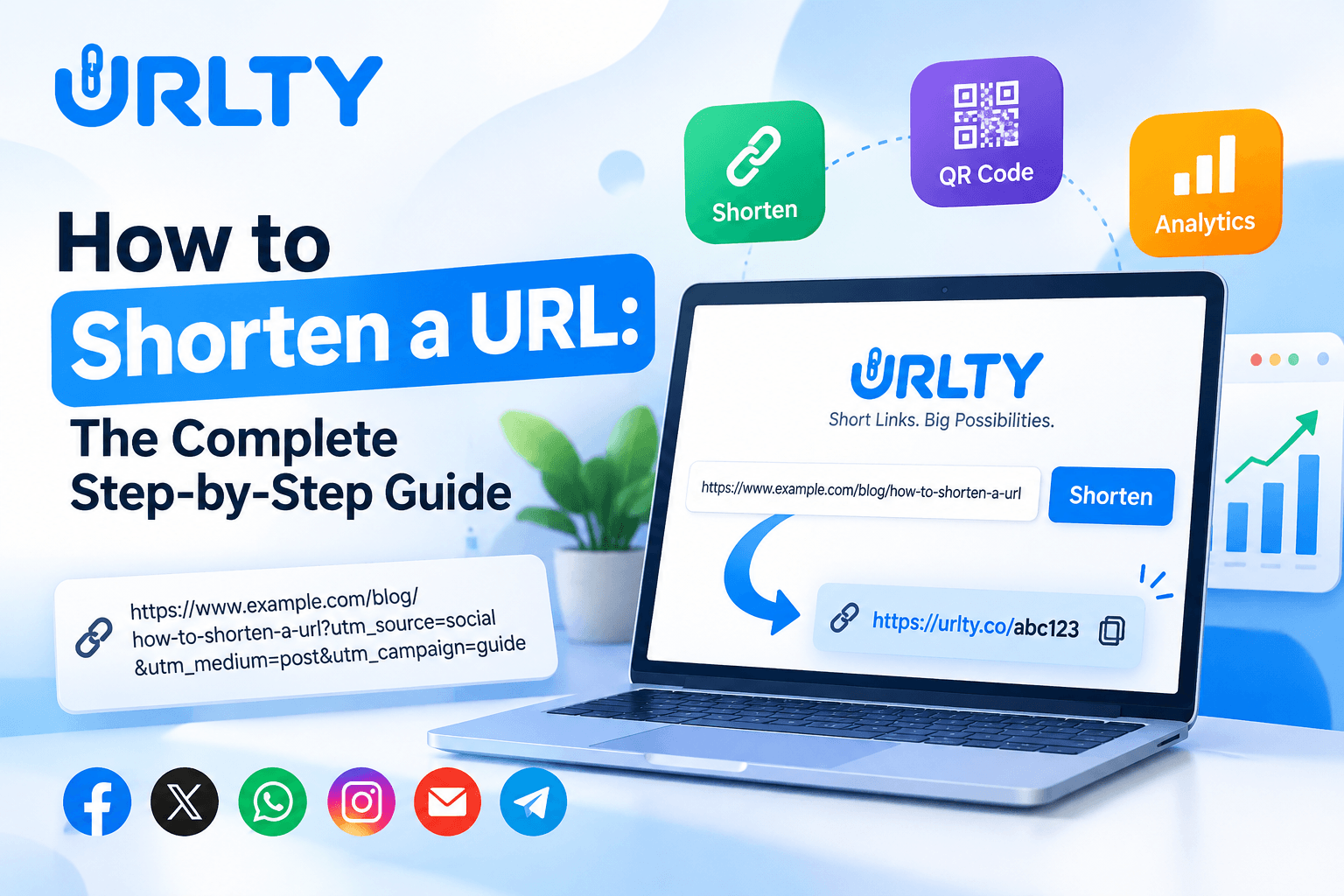
The third step is to generate the short URL using the tool's available button or submission control. A shortening service generally creates a compact address containing its own domain and a unique identifier. That identifier connects the shortened address to the original destination. For example, a lengthy product page might be represented by a shorter address with a small combination of letters and numbers. This example describes the general structure of a shortened link rather than guaranteeing a particular output format. Once the service returns a result, copy the complete short URL. Be careful not to omit characters or accidentally include surrounding punctuation when copying it into a message. If a custom alias option is available, a descriptive alias may make the link easier to recognize, but it must be unique and comply with the platform's rules. Some aliases may already be taken, and certain words may be restricted. Users should avoid creating aliases that impersonate organizations, misrepresent destinations, or suggest offers that do not exist.
The fourth step is to test the newly created link before distributing it. Open a new browser tab, paste the shortened address, and confirm that it redirects to the intended webpage. Verify the final domain, page title, and relevant content rather than assuming that a successful page load means the link is correct. If the destination requires a login, test it with the appropriate access permissions or use a private browsing session to understand what ordinary recipients may see. A link that works in your existing browser session may not work for someone who lacks authorization. It is also useful to test the address on a mobile device, particularly when the link will be distributed through messaging applications or mobile-focused campaigns. Check whether the destination loads properly and whether important forms, buttons, and product information remain accessible. If the result is incorrect, revisit the original URL and create a corrected short link. Testing takes little effort but can prevent confusion for customers, readers, and colleagues.
The fifth and final step is to share the verified link with an appropriate explanation. You might include it in a social media post, customer support message, email, presentation, or printed resource. Instead of posting an unexplained short address, introduce the destination with clear wording, such as an invitation to read a guide, view product details, or complete a registration form. This helps recipients understand why the link is relevant and reduces uncertainty about unfamiliar shortened domains. If you expect to reuse the link, save both the shortened address and the original destination in an organized record. Businesses may also record the campaign name, creation date, responsible team member, and intended audience. Where the shortening service provides a link management dashboard, use its available features to maintain accurate records. For further practical ideas about organizing and sharing shortened addresses, read Smart URL Management: Benefits of Short Links and How to Use URLTY. The complete process, from copying the original URL to testing and sharing the result, can often be completed within seconds once you become familiar with the interface.
Common URL Shortening Mistakes and How to Avoid Them
Although URL shortening is simple, small mistakes can create unnecessary problems when links are shared with customers, readers, or business partners. One of the most common errors is shortening the wrong destination. A user may copy a homepage instead of a product page, select an outdated article, or accidentally include a link from a previous campaign. Because the shortened address does not visibly reveal the full destination, this mistake may remain unnoticed until recipients report that they reached the wrong content. The easiest prevention method is to verify the original URL before creating the short version and then test the resulting link afterward. Another common mistake is assuming that every link will remain available indefinitely. Shortened addresses depend on the shortening service and the continued availability of the destination website. A link may stop working if the original page is deleted, the service becomes unavailable, or account and plan conditions change. For important business resources, keep the original addresses and review published links periodically. This makes it easier to identify and replace broken links before they create major communication problems.
Another mistake is sharing short links without explaining their purpose. People increasingly encounter suspicious messages, misleading advertisements, and unfamiliar websites, so an unexplained shortened URL may create uncertainty. A legitimate business should make its communication recognizable and describe the destination accurately. For example, a message containing a product guide should say that the link opens a product guide rather than presenting the address without context. Similarly, marketers should avoid exaggerated claims such as guaranteed discounts, instant earnings, or exclusive benefits unless those claims are accurate and supported by the destination page. Misleading link descriptions can damage customer confidence even when the underlying URL works correctly. Users should also avoid creating links that imitate established organizations or hide unrelated destinations. Responsible URL shortening is about improving convenience, not concealing information from recipients. If a campaign requires customers to provide personal details, the business should clearly explain why those details are requested and direct visitors to an appropriate, secure page.
Poor link organization is another frequent problem, especially for businesses that create many shortened URLs. Imagine a marketing team generating multiple short links for different products, advertisements, social platforms, and seasonal campaigns without recording their destinations. After several weeks, employees may struggle to identify which link belongs to which promotion. This confusion can lead to duplicate links, outdated messages, incorrect reporting, and unnecessary work. A basic spreadsheet or internal document can prevent these issues. Record the original URL, shortened URL, campaign purpose, creation date, and responsible person. If the shortening platform offers link folders, labels, or other management features, use them where available. Businesses should also establish a simple naming convention for custom aliases when supported. Descriptive naming can improve internal recognition, but aliases should remain concise and avoid exposing sensitive business information. A consistent organizational process becomes more valuable as the number of links grows, particularly when several employees manage different marketing activities.
Some users also make the mistake of treating shortened links as a direct search engine optimization technique. A free URL shortener can make an address easier to share, but shortening a link does not automatically increase search rankings, improve website content, or generate organic traffic. Search engines evaluate many signals, and URL shortening should not replace proper website structure, useful content, internal navigation, and technical SEO practices. Redirect behavior can influence how search engines interpret URLs, depending on the redirect type and surrounding context. Google's documentation explains that permanent and temporary redirects communicate different signals, particularly when a website has moved or its URLs have changed. Google Search Central's redirect documentation provides additional technical guidance. For ordinary marketing links, users should focus on delivering visitors to the correct destination rather than expecting the shortened address itself to create an SEO advantage. The original website should remain properly maintained and accessible.
A final mistake is overlooking privacy, security, and platform requirements. Some shortened links may be associated with analytics, redirects, or other features that affect how visitor interactions are processed. Businesses should understand the service's privacy policy and avoid collecting or sharing personal information unnecessarily. Never use a URL shortener to disguise prohibited content, evade moderation, or bypass another platform's advertising requirements. It is also important to consider whether the intended communication channel permits shortened URLs, because some advertising and messaging platforms restrict their use or require transparent destination information. When a link is used in an email campaign, recipients should receive a clear explanation of the sender and purpose. When a link is printed on packaging or promotional material, its destination should remain relevant throughout the material's useful life. Regular testing, accurate descriptions, organized records, and responsible usage are simple habits that help prevent most problems. A short link is only as useful as the information and experience it provides after someone opens it.
Free URL Shortener Checklist for Better Link Sharing
A practical checklist helps beginners create and share short links consistently without overlooking important details. Before shortening any address, start by confirming that the original destination is correct, publicly accessible where necessary, and relevant to the intended audience. Open the webpage and review its main content, especially if it contains a registration form, product information, downloadable resource, or time-sensitive announcement. Check whether the page uses HTTPS and whether its security indicators appear normal in your browser. If the destination is an online store, confirm that the product or offer is still available. If it is an educational resource, make sure the material is appropriate for the recipients and that access permissions allow them to view it. If it is a business landing page, review its contact details and primary call to action. This preparation matters because a shortener cannot correct inaccurate information or repair an inaccessible destination. The shortening process changes how the address is presented, not the quality of the page itself.
Next, review the URL itself. Confirm that it includes the correct domain and page path, and check any query parameters before removing them. Some URLs contain tracking values that help distinguish marketing campaigns, while others contain functional parameters required to display the correct content. Removing important values may change the page that visitors see. At the same time, avoid sharing addresses containing sensitive information, temporary access credentials, or unnecessary personal identifiers. If you are unsure whether a parameter is essential, test a cleaned version of the original URL before shortening it. Once the destination is ready, choose a shortening service that suits your needs and review its current conditions. A free URL shortener may be sufficient for occasional sharing, while businesses with larger requirements may need additional management capabilities. Consider whether account registration is necessary, whether links have usage limits, and whether advanced features require payment. Do not assume that every tool provides unlimited shortening, permanent storage, or detailed analytics.
After generating the short link, verify the result using a normal browser session. Copy the entire address and open it to confirm that it reaches the expected destination. Check the final domain carefully, especially when sharing links to payment pages, account portals, or customer support resources. If the destination is intended for mobile users, test it on a smartphone or responsive browser view. If the link is intended for people who are not logged into your website, verify that it works without an existing authenticated session. For a business campaign, consider asking another team member to perform a quick independent test. This additional review can identify problems that the original creator overlooked. Where custom aliases are available, check that the wording is clear and does not imply an inaccurate destination. Also verify that the shortened URL has not been accidentally altered when copied into a document or messaging application. Some editors automatically add punctuation or formatting that can interfere with a link.
The next part of the checklist concerns communication and distribution. Write a short, accurate description explaining what recipients will find after opening the link. Avoid vague instructions that provide no context, particularly when the shortened address uses an unfamiliar domain. For social media posts, make sure the link supports the topic of the post and does not distract from the main message. For emails, check that the sender information is recognizable and that the link is appropriate for the message. For printed materials, consider whether the address is easy to read and whether the destination will remain available for the expected duration of the campaign. If you use a QR code alongside the short link, test the code independently before printing or publishing it. Businesses should also review relevant advertising and messaging platform policies before including shortened URLs in campaigns. Consistent formatting, transparent descriptions, and accurate destinations help create a more dependable experience for recipients.
Finally, establish a simple maintenance routine. Save important shortened links with their original destinations and record where each link has been published. For temporary campaigns, note the expected end date and determine what should happen when the promotion expires. For evergreen resources, schedule occasional checks to confirm that the destination remains available. If the shortening service provides analytics, review the information carefully and avoid assuming that every recorded click represents a unique human visitor. If a link becomes broken or outdated, replace it wherever you control the published material. For businesses interested in more advanced promotional uses, How URL Shorteners Improve Digital Marketing Campaigns discusses additional link management ideas. The goal of this checklist is not to make URL shortening complicated. It is to create a repeatable process that combines simplicity with accuracy, transparency, and responsible management. Following these practices helps individuals and businesses share shorter URLs with greater confidence.
Frequently Asked Questions About Free URL Shorteners
Beginners often have questions about how URL shortening works, what it costs, and whether the process changes the original website.
What is a free URL shortener?
It is an online tool that creates a shorter address pointing to an existing URL. When someone opens the shortened address, the service redirects the visitor to the original destination.
How long does it take to create a short link?
Basic shortening usually takes only a few seconds after the original URL has been prepared, although the exact experience depends on the platform and connection.
Do I need technical knowledge?
Generally, no. Most basic tools use a straightforward process involving pasting a URL, generating a result, and copying the shortened address.
Does shortening a URL change my website?
No. The destination page remains on its existing website, and the shortened address acts as an alternative way to reach it.
Can I shorten any website address?
Many public webpages can be shortened, but services may restrict certain destinations, and users must follow applicable laws and platform policies. Another common group of questions concerns cost and available features.
Is a free URL shortener really free?
Some services provide basic shortening without payment, but limits and advanced features vary. Review the current pricing and usage conditions before relying on a particular service.
Can I create custom short links?
Some platforms allow custom aliases or branded domains, although availability and pricing may differ.
Can I edit a short link after creating it?
Certain services offer destination editing, while others may require a new link. Check the platform's management options before publishing important links.
Do shortened links expire?
Expiration depends on the service, account settings, and applicable policies. Do not assume that a free link will remain active forever.
Can I see how many people clicked my link?
Some shortening platforms offer click statistics, but detailed analytics are not guaranteed with every free plan.
Do I need an account?
This depends on the provider. Some tools may permit basic shortening without registration, while account-based features can help users manage saved links. Security and privacy are also important topics.
Are shortened URLs safe?
A shortened URL is not automatically safe or unsafe. Its reliability depends on the shortening service and the destination it opens. Because the full destination may not be visible, recipients should exercise care with unfamiliar links.
Can a shortened URL hide a malicious website?
It can obscure the destination domain, which is one reason transparent descriptions and responsible usage matter.
Does a shortener protect confidential information?
No. URL shortening is not encryption or access control. Sensitive information should not be placed inside public URLs.
Can I use shortened links for private documents?
A short link does not override document permissions, so recipients still need appropriate access.
Can businesses use shortened links in email marketing?
Yes, where permitted by the email provider and applicable rules, but businesses should identify themselves clearly and avoid misleading messages.
Can I use them in advertisements?
That depends on the advertising platform's destination and transparency policies, which should be reviewed before launching a campaign. Many readers also ask about marketing and website performance.
Will a free URL shortener improve my SEO rankings?
Not automatically. Shortening a link does not replace useful content, proper website structure, or technical SEO.
Will short links increase clicks?
They may improve presentation and convenience, but increased engagement is not guaranteed. Results depend on the audience, message, destination, and overall campaign.
Can I share short links on social media?
Generally, yes, subject to each platform's policies and restrictions.
Are short links suitable for product pages?
They can be useful when the destination is accurate and the product information remains available.
Can I use one short link across several platforms?
Yes, but separate campaign links may be helpful when reliable channel-level measurement is required.
Do short links make websites load faster?
Not inherently. A redirect adds another step before reaching the destination, and the final website's performance remains important.
Can short links replace website navigation?
No. They are useful for distribution, but websites still need clear menus, internal links, and accessible page structures. The final questions involve long-term use and practical decision-making.
What happens if the original page is deleted?
The shortened link may lead to an error or another response configured by the destination website.
What happens if the shortening service becomes unavailable?
Links that depend on that service may stop resolving, so businesses should maintain records and consider continuity needs.
Should I use short links for every URL?
Not necessarily. A clear, recognizable original address may be better when transparency is especially important.
How do I choose a suitable shortener?
Look for a straightforward interface, clear terms, reliable redirection, appropriate privacy practices, and features that match your actual requirements.
How should I organize multiple links?
Keep a record of each short URL, its destination, purpose, and publication location.
What is the most important step before sharing?
Testing the final shortened address is essential because it confirms that recipients will reach the intended page. For beginners, the best approach is to start with basic shortening, develop good verification habits, and adopt additional management features only when they serve a clear purpose.
Final Recommendations and Call to Action
A free URL shortener is a simple digital tool that can make everyday link sharing more organized and convenient. Its usefulness comes from reducing the visual complexity of long addresses while preserving access to the intended destination. For individuals, this can mean easier sharing of articles, public documents, learning materials, and useful online resources. For businesses, short links can support product communication, customer service, promotional messages, presentations, and campaign organization. However, successful usage requires more than generating the shortest possible address. Every link should lead to accurate content, work properly for its intended audience, and appear within a message that explains its purpose. The most effective approach combines convenience with transparency. Recipients should understand why a link has been shared and what they can expect when they open it. A clear message and reliable destination are more valuable than a short address alone, particularly when trust and long-term customer relationships matter.
If you are new to URL shortening, begin with a small practical example. Choose a public article or webpage that you regularly share, confirm its original address, and create a shortened version using a suitable tool. Test the result in a separate browser tab and check that it opens the correct destination. Then compare how the original and shortened URLs appear in a typical message. You may find that the shorter version is easier to include in a presentation, social post, or customer conversation. Once you understand the basic process, consider using short links for other legitimate purposes, such as sharing product information, event registration pages, public resources, or customer support articles. Avoid creating large numbers of links before establishing a method for organizing them. A small collection of clearly documented and regularly checked links is more manageable than an extensive collection whose destinations and purposes are unknown.
Businesses should approach URL shortening as one component of a broader communication strategy. A shortened address can make a campaign message more compact, but it cannot compensate for unclear offers, inaccurate product information, or a poorly functioning website. Before launching a promotion, review the destination page and make sure it matches the message being distributed. Confirm that important details are current, forms work correctly, and visitors can navigate the page on common devices. If the campaign involves customer inquiries, ensure that contact information and support options are available. If analytics are provided by the shortening platform, interpret the results carefully and combine them with other appropriate performance measurements. Avoid assuming that a high number of clicks automatically means that a campaign has succeeded. Relevant visits, useful interactions, customer satisfaction, and completed business objectives provide a more meaningful picture of effectiveness than link activity alone.
Long-term reliability should also influence your decisions. Important links may appear in newsletters, printed materials, educational resources, and customer communications long after they were first created. Maintaining an accurate record of their destinations makes future updates easier. If a page moves or an offer ends, review any associated shortened links and determine whether they should be updated, replaced, or discontinued. Consider whether your chosen service offers the management capabilities necessary for your expected usage, and review its policies before depending on it for essential business operations. Where appropriate, use a recognizable branded domain or clear accompanying text to help recipients understand the source of a link. Never rely on shortening as a substitute for secure access controls or transparent communication. These habits help preserve the usefulness of shortened URLs over time and reduce the likelihood of confusion when content or campaigns change.
Ready to simplify the links you share? Visit URLty and explore its available URL shortening options. Start with one legitimate webpage, create a shorter address, test the redirect, and share it with a clear description of the destination. You do not need advanced technical skills to begin, and you can expand your approach as your requirements grow. Whether you are a student sharing learning materials, a creator distributing content, or a business owner communicating with customers, the basic principles remain the same: choose the correct destination, shorten the address responsibly, verify that it works, and maintain accurate records when necessary. A free URL shortener can make link sharing more convenient, but thoughtful usage is what makes it dependable. Make your next shared link easier to manage, keep your communication clear, and use URL shortening as a practical part of your everyday online workflow.