
Choosing the URL shortener in 2026 is no longer just about turning a long web address into a tiny link. A modern short-link platform can become part of your marketing, branding, analytics, campaign management, QR-code strategy and customer journey. That matters because businesses and everyday users now share links across websites, social media, email, messaging apps, digital ads, printed materials, presentations and offline campaigns. A long URL that has folders, tracking parameters, product IDs or campaign codes can be hard to read and easy to mistype. A short URL is cleaner, easier to share and more convenient when space is limited. However simply picking the free tool you find is not always a good decision. The service may give basic shortening have limited analytics put restrictions on links, lack branded-domain support or make it hard to organize a growing collection of URLs. The best URL shortener for a business should solve more than one problem. It should create short links make campaign organization simple give useful performance data support professional branding where needed and let you control links over time.
A platform such as URLty can be checked with this link-management view: look for URL shortening QR codes, bio pages branded links, analytics, smart redirects and useful traffic insights then decide which features really help your work instead of picking a tool just because it has a long list of features. For a beginner the key point is not to chase the feature list. Start with your purpose. If you only need to shorten links for personal sharing a simple plan may be enough. If you run a store, agency, blog, SaaS business, affiliate campaign, newsletter or social media page you may care more about custom aliases, branded domains click analytics, QR codes, campaign tracking, expiration controls audience targeting or API access. You should also think about trust. A short link hides the destination by design so the domain and words of the short link affect how comfortable a user feels before clicking. Clear branding, meaningful aliases, HTTPS and open use of links can help make your campaigns look more professional.
This guide explains what a URL shortener does why it matters in 2026, which features are worth checking, how to compare services step by step what mistakes beginners should avoid and how to build a checklist before choosing one platform. By the end you should be able to choose the URL shortener for your own situation instead of relying on a generic ranking. That method is better because the right tool for a solo creator with fifty links may be very different from the tool for a marketing team that manages thousands of campaigns. In 2026 this difference is especially important because link tools bundle jobs into one dashboard. A creator may want one link for a profile page a retailer may need QR codes for packaging and a marketing team may need tracking for paid organic and partner traffic. Those users should not necessarily buy the plan. A careful comparison keeps you from paying for features you will never use and also reduces the risk of finding late that a needed feature is missing. Think of a URL shortener, as the road that lets people reach your content.
Why a URL Shortener Matters for Businesses and Everyday Users
A URL shortener matters because links are now marketing assets rather than simple technical addresses. Imagine a business running the same promotion through Facebook, Instagram, email, WhatsApp, printed flyers, and a QR code. If every channel uses the same long destination URL, the business can see overall website traffic, but it may be harder to understand which placement actually generated the response. A capable short-link platform can help organize each campaign with separate short URLs and track their performance more clearly. That gives a beginner a simple way to answer practical questions: Which channel received more clicks? Did mobile users engage more than desktop users? Which campaign link should be kept, edited, paused, or replaced? This is one reason analytics is a major feature when selecting the best URL shortener. Branding is another.
A random-looking short URL can be convenient, but a custom alias or branded domain may look more intentional and can help users recognize who is sharing the link. Short links also make printed and spoken marketing easier. A long product URL is inconvenient on a business card, poster, brochure, presentation slide, or podcast mention, while a short readable address can be remembered or typed with less effort. QR codes extend the same idea into offline marketing by letting a user scan instead of type. Modern platforms can also improve link management. Instead of searching through old social posts or spreadsheets to find where a destination was shared, you can keep links in one dashboard, organize them by campaign or channel, and review performance from one place. Some services include controls such as expiration dates, click limits, device targeting, geographic targeting, language targeting, retargeting pixels, or link rotation. These are not necessary for every beginner, but they become useful when campaigns are more advanced. There is also a measurement benefit when short links are combined with campaign parameters. Google Analytics explains that UTM parameters such as source, medium, and campaign can be added to destination URLs so campaign traffic can be identified in Analytics reports.
A practical workflow is to build the destination URL with the correct tracking parameters first, test it, and then shorten it for sharing. This keeps the public-facing link clean while preserving the campaign information behind the redirect. Shortening should never be used to mislead users, disguise harmful destinations, or bypass platform rules; responsible use means the final page should match the context in which the link was shared. Reliability matters as well. If a short-link provider disappears or a link stops resolving, every post, email, QR code, or printed item using that link may be affected. For business use, therefore, you should consider the provider’s reputation, account controls, export options, support, pricing stability, and ability to use your own branded domain. The best URL shortener is ultimately the one that improves sharing and measurement without creating unnecessary dependence or complexity. For a beginner, that means starting with the smallest set of features that solves a real problem, learning how the analytics work, and expanding only when your campaign needs justify more advanced controls. Another important benefit is consistency. When every campaign follows the same naming style, tracking method, and approval process, your team is less likely to create duplicate links or confuse one promotion with another.
Even a one-person business benefits from this discipline. A simple naming rule for aliases, a consistent UTM structure, and a routine for checking destinations before publishing can save time later.
Key Features to Look for in the Best URL Shortener
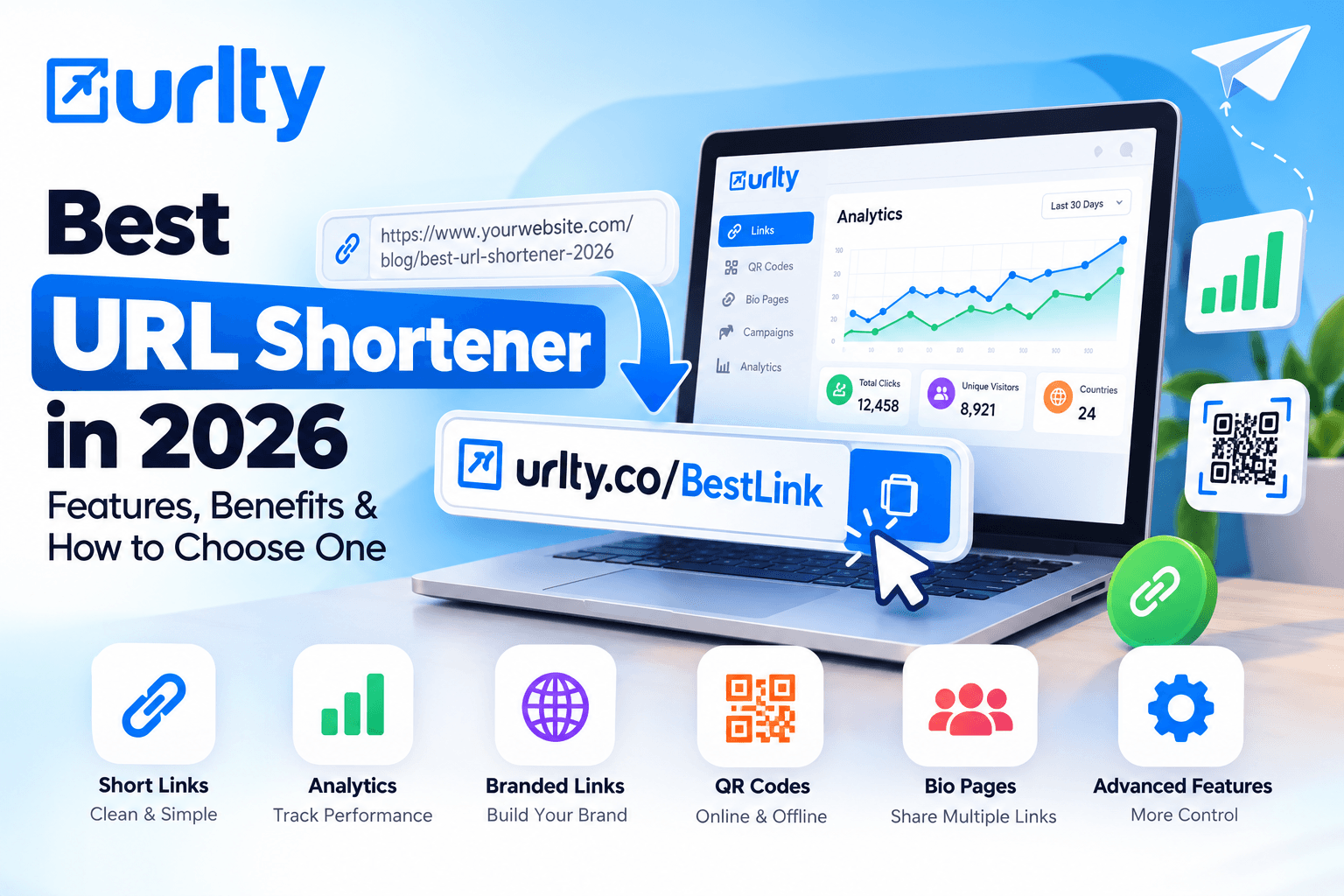
The features that define the best URL shortener in 2026 can be grouped into seven practical areas: link creation, branding, analytics, campaign control, QR and bio tools, collaboration, and technical access. Start with the basics. A good service should let you create short links quickly, edit or manage them from a dashboard, and use custom aliases when a readable slug is important. The redirect should use HTTPS, and the service should make it clear how links are stored, limited, or deleted. Branding comes next. For professional use, support for branded domains can be more valuable than a generic short domain because it lets your links reinforce your own identity. Custom aliases also help when you want a link that is easy to recognize, such as a product name, event name, or campaign label. Analytics should be useful rather than merely impressive. Click totals are the minimum; depending on your work, you may also want data about dates, traffic sources, countries, devices, browsers, or campaign performance. The purpose is not to collect data for its own sake but to make better decisions. If one channel consistently performs better, you can focus effort there.
If a campaign receives clicks but few conversions, you can investigate the landing page or message. Campaign-control features matter more as your marketing becomes sophisticated. Expiration rules are useful for temporary offers. Click limits can help with limited-access promotions. Geo, device, or language targeting may allow different audiences to reach more relevant destinations. A/B testing or link rotation can be useful when comparing pages, while tracking pixels can support retargeting workflows where permitted and used transparently. URLty’s current pricing page lists capabilities that span these categories, including custom aliases, branded domains, tracking pixels, campaigns, deep linking, geographic and device targeting, language targeting, A/B testing and rotation, expiration, click limitation, parameter tools, QR customization, API access, and import/export options, with availability varying by plan. QR-code support is increasingly valuable because one campaign may need to work both online and offline. A short link behind a QR code can be easier to manage than hard-coding a complicated destination into every design. Bio link pages can also help creators and small businesses collect multiple destinations under one shareable profile. Team features become important when more than one person creates or reviews links. Look for permissions, shared workspaces, or member access if several people will manage campaigns. Finally, developers and larger businesses may need an API, rate limits that match their traffic, bulk creation, imports, exports, or integrations. Beginners should not choose a service merely because it offers every advanced function. Instead, divide features into “required now,” “likely later,” and “not needed.”
For example, a local shop may need branded links, QR codes, and simple analytics but not an API. An agency may need client organization, team members, custom domains, exportable reports, and high click limits. A SaaS product may care about API access, deep links, and automation. When comparing tools, this feature map keeps the decision practical and prevents the phrase best URL shortener from becoming an empty marketing label. Cost should also be evaluated beside these features, not separately. A cheap plan that lacks a required function can become expensive when you must migrate later, while an oversized plan wastes money. Compare limits for links, monthly clicks, data retention, domains, QR codes, team members, and API usage against your real workload. This gives you a more accurate value comparison than looking at the subscription price alone..
Step-by-Step Guide: How to Choose the Best URL Shortener
A step-by-step process makes choosing the best URL shortener much easier than comparing dozens of feature lists at random.
Step 1: define your primary use case. Write down where you will share links and what you expect the links to do. A blogger may want clean links for social posts; an online store may need campaign tracking and QR codes; a business team may need branded domains, member access, and exportable analytics.
Step 2: estimate your volume. Count roughly how many new short links you create each month, how many clicks your campaigns receive, how long you need analytics to remain available, and whether several people need access. These numbers help you avoid plans that are either too limited or unnecessarily large.
Step 3: separate essential features from optional ones. Essentials might include custom aliases, HTTPS, analytics, QR codes, or a branded domain. Optional features might include geo targeting, deep linking, A/B rotation, pixels, or API access.
Step 4: inspect the provider’s limits rather than reading only the marketing headline. Check the number of links, monthly clicks, data-retention period, branded domains, QR codes, team members, campaign tools, and API limits that apply to the plan you would actually buy. When evaluating URLty, compare the current plan details carefully rather than assuming every account includes the same limits or advanced features.
Step 5: test the workflow before moving important campaigns. Create a few sample links, open them on both desktop and mobile, confirm that they redirect to the correct destination, review the dashboard, and see whether the analytics are understandable. If QR codes matter to you, scan them with more than one device. If custom aliases matter, test how easy they are to create and manage.
Step 6: evaluate branding and trust. Look at how the short URL appears in an email, social post, message, or printed design. If you plan to use a branded domain, confirm how domain connection works and whether you retain control of the domain itself.
Step 7: review data portability and account management. Export options are valuable because businesses should be able to keep records of important links and reports. Also check billing, cancellation, upgrades, downgrades, and what happens to existing links if your subscription changes.
Step 8: consider support and documentation. Beginners benefit from clear help articles because small configuration questions can otherwise delay campaigns.
Step 9: run a small real campaign before committing to a large migration. Use a limited set of links for a newsletter, social post, or internal project and compare the results with your expectations.
Step 10: make the decision based on total fit, not one attractive feature. The best URL shortener should fit your current workload, budget, skill level, and expected growth. A platform that is slightly simpler but easy to manage may deliver more value than a complicated tool whose advanced features you never use.
Revisit the choice every few months as your link volume, team size, or marketing strategy changes, because the tool that fits a new business today may need to support more sophisticated campaigns tomorrow. Before finalizing, document the reason for your choice in one sentence, such as “we need branded links, QR codes, six months of reporting, and room for two team members.” That simple statement keeps future upgrades focused on business needs instead of feature hype and gives you a clear benchmark for evaluating alternatives later.
How to Create and Manage Short Links Effectively
Once you have selected a platform, the next step is to build a repeatable link-creation workflow so every short URL is useful, trackable, and easy to maintain. With a service such as URLty, begin by signing in and deciding whether the link belongs to a specific campaign, channel, product, client, or content group.
Step 1: Prepare the destination URL. Open the destination in a browser and confirm that the page loads correctly, uses HTTPS, works on mobile, and is the exact page you want visitors to reach. Do not shorten a broken or temporary URL just because the short version looks neat.
Step 2: Add campaign parameters before shortening when you need analytics outside the shortener. Google Analytics documents UTM parameters such as source, medium, and campaign for identifying referral and campaign traffic. Use a consistent naming system, avoid random capitalization, and record the convention your team follows.
Step 3: Paste the final destination into the shortening tool.
Step 4: Choose a meaningful custom alias when the feature is available and when readability matters. A campaign called “summer-offer” is easier for a team to recognize than a random code, but keep aliases concise and avoid words that could misrepresent the destination.
Step 5: Connect or use a branded domain if your plan and branding strategy require it. A branded short domain can make campaign links feel more consistent with your organization, particularly in email, social media, and offline materials.
Step 6: Add optional controls only when they serve a clear purpose. An expiration date may suit a limited-time event; geographic or device targeting may suit a campaign with different landing pages; a click limit may suit controlled access; and rotation may help test multiple destinations. Do not enable advanced settings simply because they exist.
Step 7: Generate a QR code if the same destination will appear on a poster, brochure, packaging, counter display, presentation, or business card. Test the QR code at the size and distance in which people will actually scan it.
Step 8: Save the link and test it before publishing. Click it in a private browser window, test on mobile, and confirm the final page, tracking parameters, and redirect behavior.
Step 9: Publish the link in the intended channel and avoid changing naming conventions halfway through the campaign.
Step 10: Review analytics after enough traffic has accumulated to make the data meaningful. Compare channels, devices, locations, and dates only where the available data is relevant to your decision.
For URLty-specific steps, consult its URL-shortening guide, then wrap the basic creation process in your own quality-control routine. Maintain a basic link register containing the short alias, destination, campaign name, owner, creation date, and status. For larger teams, define who may create branded links and who checks them. This workflow turns shortening from a one-click convenience into a reliable marketing process. It also makes future cleanup easier because you can identify expired campaigns, duplicate links, and outdated destinations without guessing what each short URL was originally created to do. Finally, create a habit of checking high-value links after landing pages are redesigned, domains are migrated, or campaigns are renewed. A short URL may continue working while its destination becomes irrelevant. Periodic checks protect the visitor experience and prevent old printed or scheduled materials from sending people to the wrong page.
Common URL Shortener Mistakes and Practical Checklist
Beginners often make URL-shortening mistakes because the link appears to be such a small part of a campaign. In reality, a broken or poorly managed redirect can affect every place where that short URL has been published.
Mistake 1 is choosing a service only because it is free. Free plans are useful for testing and light use, but you should still examine link limits, click limits, analytics retention, branding, exports, and what happens if your needs grow.
Mistake 2 is shortening a destination before checking it. Always open the original page, confirm the spelling, verify HTTPS, and test the mobile experience first.
Mistake 3 is using confusing aliases. An alias should be short and recognizable without promising something the destination does not provide.
Mistake 4 is creating a different naming style for every campaign. Inconsistent names make dashboards harder to search and reports harder to understand. Establish a simple rule such as brand-topic-channel or campaign-month before link volume grows.
Mistake 5 is ignoring UTM parameters when campaign attribution matters. If you rely on an analytics platform, prepare the tagged destination first and shorten it afterward so you preserve the measurement structure.
Mistake 6 is assuming click totals equal business results. Clicks show engagement with a link, not necessarily purchases, sign-ups, leads, or completed goals. Combine short-link analytics with your website or conversion reporting for a fuller picture.
Mistake 7 is publishing without testing. A single wrong character in the destination can send hundreds of people to an error page, so test the short link and any QR code before launch.
Mistake 8 is overusing targeting, rotation, pixels, or redirect rules without a clear reason. Extra logic makes troubleshooting more difficult and may introduce privacy or compliance responsibilities. Use only what supports a defined campaign objective.
Mistake 9 is failing to keep ownership records. If multiple employees, freelancers, or agencies create links, record who owns each campaign and where the links are being used.
Mistake 10 is forgetting old links after a promotion ends. Review expired campaigns and update, archive, or disable links according to your business policy rather than leaving outdated destinations active indefinitely.
Before you choose or publish, use this practical checklist: confirm the provider supports HTTPS; verify the monthly link and click limits; check analytics retention; decide whether you need custom aliases or a branded domain; check QR-code support; review campaign, targeting, and expiration features; confirm team access if multiple people are involved; check import and export options; review API access if automation matters; understand the plan price and renewal terms; test support documentation; verify the destination; add UTM parameters where appropriate; create a clear alias; test desktop and mobile redirects; scan every QR code; document the campaign owner; and schedule a later review date.
If a provider meets the items that are essential to your workflow without forcing you to pay for unnecessary complexity, it is a strong candidate for the best URL shortener for you. The checklist also makes comparisons fairer because every service is evaluated against the same requirements rather than whichever feature looks most impressive on a landing page. One more mistake is failing to plan for growth. A tool that works for ten links may become difficult when you manage hundreds. Before committing, ask whether you can upgrade smoothly, preserve existing links, export useful records, connect a branded domain, and keep a consistent naming system as campaigns expand. Thinking one stage ahead can reduce avoidable migration work.
FAQ: Best URL Shortener in 2026
Frequently asked questions can help clarify the final decision.
What is the best URL shortener in 2026?
There is no single answer for every user. The best URL shortener is the service that reliably redirects visitors, fits your link and click volume, provides the analytics you actually use, supports the branding and campaign controls you need, and remains within your budget. A personal user may value simplicity and a free allowance, while a business may prioritize branded domains, longer data retention, team access, exports, or API support.
Are free URL shorteners good enough?
They can be. A free plan is often suitable for learning the platform, sharing occasional links, or testing a small campaign. Check its limits before relying on it for important long-term materials.
Do short URLs hurt SEO?
A normal redirect used for legitimate sharing is primarily a navigation tool, not an SEO shortcut. For pages you control, continue using clear canonical URLs and sound SEO practices; use short links where they improve sharing, tracking, or offline access.
Should I use a custom branded domain?
It is worth considering when brand consistency and recognition matter, especially for repeated customer-facing campaigns. It is less important for occasional personal sharing.
What analytics should a beginner watch?
Start with clicks over time, source or channel information, device patterns, and campaign outcomes. Do not collect more metrics than you can act on.
Should I add UTM parameters before or after shortening?
Build and test the full destination with your campaign parameters first, then shorten that completed URL. This keeps the shared link clean while preserving campaign attribution at the destination.
Can I use one short link everywhere?
You can, but separate links for important channels may make performance comparisons easier. For example, email, social, QR, and partner campaigns can each use a distinct short URL while pointing to the same landing page.
How often should links be reviewed?
Review important evergreen links whenever destinations change and check time-sensitive campaign links at the start and end of the campaign. Periodic audits are useful when you manage many links.
What should I do before paying for a plan?
Test the dashboard with real sample links, inspect the relevant limits, read the billing terms, check export options, and confirm that the plan contains your required features.
A small live test is more informative than choosing from a feature table alone. In 2026, choosing the best URL shortener is really about choosing a link-management system that matches the way you communicate with your audience. Clean short links can simplify sharing; branded links can support a consistent presentation; analytics can reveal which channels attract attention; QR codes can connect offline materials to online destinations; and advanced controls can support more sophisticated campaigns when they are genuinely needed. If you are ready to apply the process in this guide, start with one real destination, define the result you want to measure, create a clean short link, test it carefully, and review the data after publishing. URLty provides a practical place to explore modern shortening, QR, analytics, and link-management features, while its pricing and documentation can help you determine which level matches your use case. The goal is not to shorten every URL you see. It is to create links deliberately, measure them responsibly, and build a system that remains simple enough to manage as your business grows.